

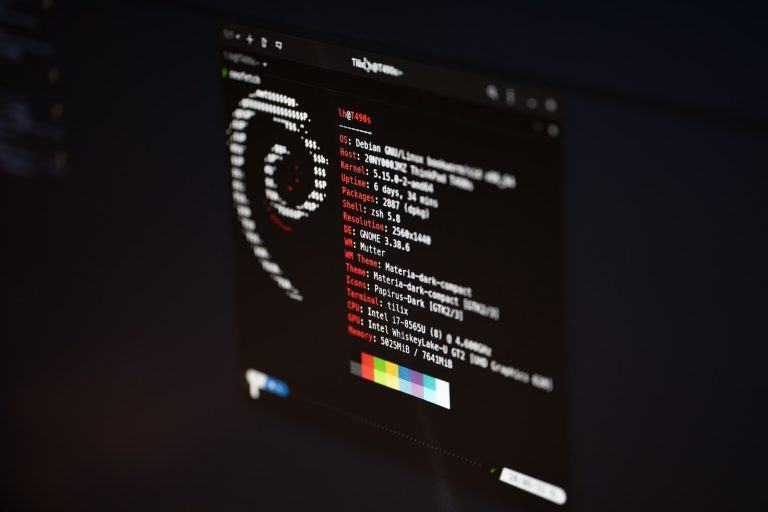
To run a script automatically at startup in Linux, I use a systemd service unit: a short file in /etc/systemd/system/ with Type=oneshot, enabled with systemctl enable --now. It runs at boot before anyone logs in, and its output goes to the journal. Cron @reboot, a per-user unit, /etc/rc.local (on systemd 259 and older) and XDG autostart also work but fit narrower jobs.
Table of Contents
Which method to use to run a script on startup
| If you need | Use | It runs | Catch |
|---|---|---|---|
| A system-wide script at boot | systemd service unit | At boot, before any login | Absolute path, executable file, #! line |
| A script for one user, without root | systemd user unit | At login, or at boot with lingering | Cannot wait for network-online.target |
| A simple one-line job | cron @reboot |
When the cron daemon starts | The network may not be up yet |
A script already in /etc/rc.local |
/etc/rc.local |
Late in boot | Removed in systemd 260 |
| A program that needs your desktop session | XDG autostart | At desktop login | Nothing runs until someone logs in |
Run a script at boot with a systemd service
Put the script somewhere fixed, such as /usr/local/bin/my_startup_script.sh, and begin it with a #! line. systemd runs the file directly, so it also has to be executable. Create /etc/systemd/system/my-startup.service:
[Unit]
Description=My startup script
# Delete the next two lines if the script does not need the network
After=network-online.target
Wants=network-online.target

[Service]
Type=oneshot
RemainAfterExit=yes
ExecStart=/usr/local/bin/my_startup_script.sh

[Install]
WantedBy=multi-user.target
Make it executable, check the unit, load it and enable it:
sudo chmod +x /usr/local/bin/my_startup_script.sh
systemd-analyze verify /etc/systemd/system/my-startup.service
sudo systemctl daemon-reload
sudo systemctl enable --now my-startup.service
enable is what makes the script run at every boot, and --now also starts it immediately. A packaged service can have its own switch instead: on Debian and Ubuntu, whether a PostgreSQL cluster starts at boot is decided by a start.conf file, not by systemctl enable. systemd-analyze verify flags unknown directives and a missing or non-executable ExecStart= file.
Type=oneshotsuits a script that does its work and exits.RemainAfterExit=yeskeeps the unit showing asactive (exited)afterwards instead of dead. A program that must keep running is not a oneshot: drop both lines. A oneshot has no start timeout by default, so a script that never exits blockssystemctl start.network.targetdoes not mean the network is up. A script that needs the network takes bothWants=network-online.targetandAfter=network-online.target. That target waits only if the wait-online service for your network setup is enabled (NetworkManager-wait-online.serviceorsystemd-networkd-wait-online.service), and it times out after 90 seconds, so the script should still retry (Running Services After the Network Is Up).- Comments need their own line. A trailing
# notebecomes part of the value, and on anExecStart=line it is passed to your script as arguments. - The service runs as root. Add
User=nameunder[Service]to change that.
Afterwards, systemctl is-enabled my-startup.service says whether it will run at boot, systemctl status my-startup.service shows what happened and journalctl -u my-startup.service -b shows this boot’s output. A status of 203/EXEC means systemd could not execute the file: check the path, the executable bit and the #! line. I put the unit check, the shell-startup-file test and an @reboot crontab round trip in a script you can run: /verify/run-script-on-startup.sh. It cannot reboot, so it checks syntax and environment, not the boot, and it backs up your crontab first.
Run a script at startup as your own user (systemctl –user)
For one user’s script that needs no root, save the unit as ~/.config/systemd/user/my-startup.service. Use the same unit without the two network lines, end it with WantedBy=default.target (the target a user manager starts) and point ExecStart= at your script (%h is your home directory). Add --user to the commands:
mkdir -p ~/.config/systemd/user
systemctl --user daemon-reload
systemctl --user enable --now my-startup.service
journalctl --user -u my-startup.service
According to the journalctl(1) man page, journalctl --user only works if persistent logging is enabled, via the Storage= setting in journald.conf(5).
A user’s units normally start at that user’s first login and stop shortly after the last session ends. Turn on lingering once to start them at boot and keep them after you log out:
sudo loginctl enable-linger "$USER"A user unit cannot wait for the system’s network-online.target (systemd issue 3312 is the open request), so make the script retry or use a system unit with User=.
Run a script on startup with cron @reboot
Run crontab -e and add one line:
@reboot /usr/local/bin/my_startup_script.sh >> $HOME/my_startup.log 2>&1The job runs as the crontab’s owner, so use sudo crontab -e for a script that needs root. @reboot runs once at startup, meaning when the cron daemon starts, which Debian’s crontab(5) says “may be before some system daemons, or other facilities, were startup”. Neither Debian’s cron.service nor the upstream cronie unit is ordered after network-online.target, so a job that needs the network should retry or become a systemd unit. cron runs the command with sh and does not read ~/.bashrc or ~/.profile, so use absolute paths and keep the log redirect to see why a job failed.
Run a script at boot with /etc/rc.local
On systemd 259 and older, systemd-rc-local-generator runs /etc/rc.local at boot if the file exists and is executable. The path is set when systemd is compiled, and Fedora uses /etc/rc.d/rc.local instead. If the file is missing, create it with a #! first line:
#!/bin/sh
/usr/local/bin/my_startup_script.sh
Then run sudo chmod +x /etc/rc.local, plus sudo restorecon -v /etc/rc.local on an SELinux system.
systemd 260, released in March 2026, removed systemd-rc-local-generator and rc-local.service together with System V script support, so on 260 or newer the file is never run. Check your version with systemctl --version. On 1 October 2026 Debian 13 ships systemd 257, Ubuntu 24.04 LTS 255, Ubuntu 26.04 LTS 259 and Fedora 44 259, so rc.local still works there, while Arch and Debian testing are on 262, where it does not. The man page itself recommends unit files, so I would not start a new script here.
Start a program at login with XDG autostart
A program that needs your desktop session, such as a tray app, belongs in ~/.config/autostart/. Create ~/.config/autostart/my-startup.desktop:
[Desktop Entry]
Type=Application
Name=My startup script
Exec=/home/you/bin/my_startup_script.sh
The desktop environment launches it after you log in, so nothing runs at boot. Type and Name are required, and Exec takes a full path or a program name found on the session’s $PATH. The format comes from the XDG Autostart specification.
Why .bashrc and .profile do not run a script at startup
Bash reads ~/.bashrc in interactive non-login shells, such as a new terminal window, and ~/.profile or ~/.bash_profile in login shells (Bash Startup Files). Both belong to a person opening a shell, so a script there runs whenever that kind of shell starts and never at boot. A boot-time job reads neither file, so aliases, PATH edits and version-manager shims from them are missing. Use absolute paths, or set variables with Environment= in the unit.
