

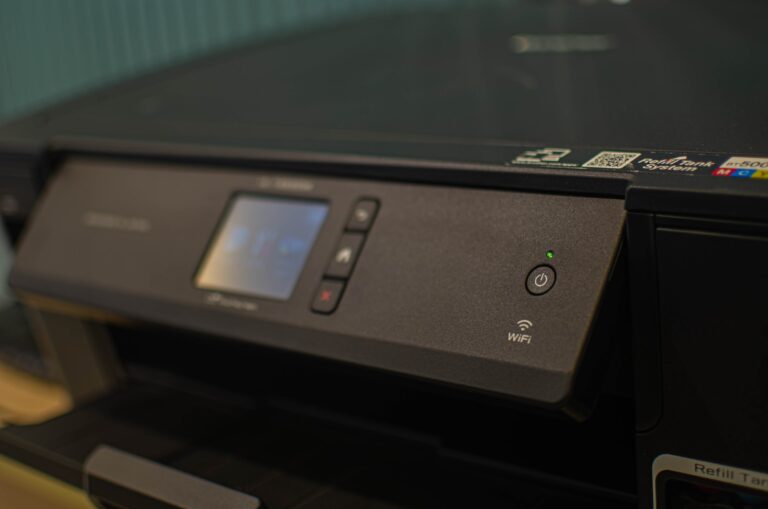
There is no Windows 11 driver for the Dell B1260dn, and Dell does not claim there is. On Dell’s own drivers page for this printer the operating-system filter runs from Windows 2000 to Windows 10, 64-bit and then stops. The whole download list is two rows, and the one marked Recommended was released in 2012.
For this product there are no driver updates. This page is about what you do when the vendor stopped nine years ago and Windows is moving away underneath you.
Table of Contents
What Dell published in August 2026
Observed in a browser on 2026-08-11 at https://www.dell.com/support/product-details/en-us/product/dell-b1260dn/drivers (page title: “Support for Dell B1260dn Laser Printer | Drivers & Downloads | Dell US”). The page says “No critical drivers available to download.” and then lists, verbatim, two rows:
Driver                                                Importance    Release Date   Category
Dell B1260dn Mono Printer Installer and Application   Optional      12 Jan 2017    Application
Dell B1260dn Laser Printer                            Recommended   18 Oct 2012    Drivers for OS Deployment
The full operating-system filter, enumerated from the page: Windows 2000, XP, XP 64-bit, Vista 32/64, 7 32/64, 8 32/64, 8.1 32/64, 10 32/64, Server 2003, Server 2003 x64, Server 2008 x86, Server 2008 x64, Server 2008 R2. Windows 11 is not an option.
Nothing on Windows Update either: a search of Microsoft’s own catalogue for B1260 returns no results.
$ curl -sSL 'https://www.catalog.update.microsoft.com/Search.aspx?q=B1260' | grep -c 'We did not find any results for'
1
Why the 2012 driver is on a clock
Microsoft published an end-of-servicing plan for third-party printer drivers. Its timeline table, quoted verbatim:
January 15, 2026 — “For Windows 11+ and Windows Server 2025+, no new printer drivers will be published to Windows Update.”
July 1, 2026 — “Printer driver ranking order modified to always prefer Windows IPP inbox class driver.”
July 1, 2027 — “Except for security-related fixes, third-party printer driver updates will no longer be allowed.”
The second of those has already passed. Windows now prefers its own IPP class driver over a vendor package when both could apply. Microsoft is explicit that this is not a cut-off for what you already have — “Existing printer drivers can be installed on Windows PCs, even after the end of servicing” — so the 2012 package will still install. It just stops being what Windows reaches for first.
The route that does not need a driver
Add the printer by IP and let Windows use its built-in IPP support. Dell’s own Dell B1260dn User’s Guide — read in a browser on 2026-08-11 — lists under Network protocols: “Standard TCP/IP Printing (RAW), LPR, IPP, WSD” and “DNS, WINS, Bonjour, SLP, UPnP”, and the AirPrint section states “Bonjour(mDNS) and IPP protocols are required on your machine to use the AirPrint feature.” A 2012 printer that speaks IPP and mDNS is exactly the shape the modern Windows print stack is built around, and this is the configuration most likely to still work in five years.
Not verified, and it matters: Microsoft’s Windows protected print mode is gated on Mopria certification, and I found no Dell, Microsoft or Mopria source stating whether the B1260dn is Mopria certified — the Mopria Alliance was founded after this printer shipped. So I am not telling you it will work under protected print mode. I also cannot quote Microsoft’s protected-print-mode pages here: their documented URLs redirect to learn.microsoft.com/en-us/windows/modern-print/… addresses that returned HTTP 404 when I fetched them on 2026-08-11. Test IPP on your own machine before you rely on it.
Whether the 2012 driver installs on Windows 11 is unconfirmed
No Windows machine, no Dell B1260dn, no print job. I did not install either Dell package, so I cannot tell you whether the 2012 driver installs cleanly on Windows 11 — Dell’s INF declares no Windows 11 compatibility and Dell’s own OS filter stops at Windows 10, which is a statement about what Dell tested, not a prediction about what will happen on your PC. I found no primary Dell statement about exiting the printer business, so this page makes no claim that Dell did; the observable fact is narrower and sufficient — the newest file for this model is dated 2017. Whether HP hosts drivers for the Samsung-engineered equivalent is unchecked. For a printer Windows has half-forgotten, force-removing the stale queue before re-adding it by IP saves an hour; the reason this page does not send you to a driver search site is set out at MSI A6200 drivers, which examines what those sites actually hand you.
