

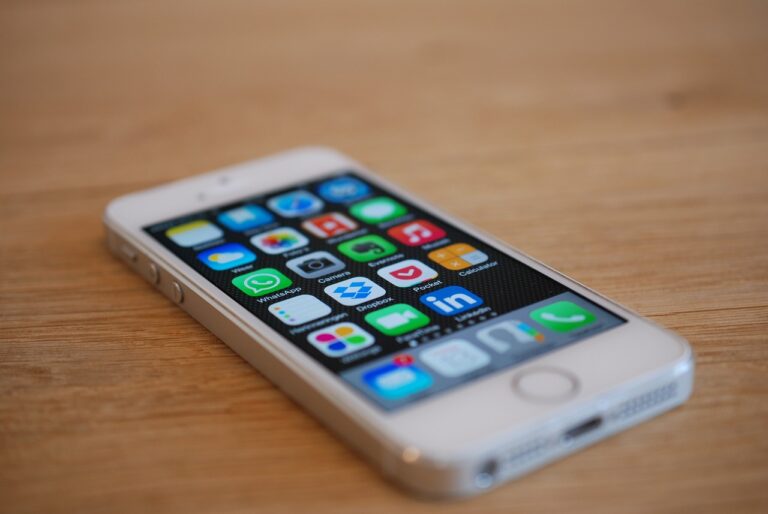
Neither phone will ever get another update. Apple’s own software-update catalogue, which is the feed the device itself asks, offers the iPhone 5 nothing newer than iOS 10.3.4 and the iPhone 5s nothing newer than iOS 12.5.8:
$ curl -sS -o cat.xml \
    https://mesu.apple.com/assets/com_apple_MobileAsset_SoftwareUpdate/com_apple_MobileAsset_SoftwareUpdate.xml
$ python3 newest.py            # highest build offered per device
iPhone5,1    iPhone 5 (GSM)       newest offered: iOS 10.3.4  build 14G61
iPhone5,2    iPhone 5 (CDMA)      newest offered: iOS 10.3.4  build 14G61
iPhone6,1    iPhone 5s (GSM)      newest offered: iOS 12.5.8  build 16H88
iPhone6,2    iPhone 5s (global)   newest offered: iOS 12.5.8  build 16H88
On these two models the instruction to update to the latest iOS resolves to nothing. Menu paths also differ between iOS versions: Settings > General > Reset > Reset Network Settings is an iOS 12-era path and Settings > Accessibility > Touch > AssistiveTouch is an iOS 13-and-later path. At most one of those can be right on a phone whose ceiling is iOS 12.5.8. I have no device here to establish which, and I am not going to guess at menu paths for hardware I cannot open.
Table of Contents
Apple’s own classification
From Apple’s vintage and obsolete products page, all three fifth-generation models appear under the heading iPhone products obsolete worldwide: iPhone 5, iPhone 5C, iPhone 5S. Apple defines the term and its consequence:
“Products are considered obsolete when Apple stopped distributing them for sale more than 7 years ago.” … “Apple discontinues all hardware service for obsolete products, and service providers cannot order parts for obsolete products.”
So advice to “consider getting the button repaired”, “seek professional repair”, or use Apple’s battery replacement service does not describe an option that exists at Apple. An independent shop may still help; Apple and its authorised network cannot order the parts.
The last update was not a security update
iOS 12.5.8 is on Apple’s security releases list, and the entry is worth reading closely. Verbatim, the three columns of that row:
“iOS 12.5.8 and iPadOS 12.5.8 — This update has no published CVE entries.” | “iPhone 5s, iPhone 6, iPhone 6 Plus, iPad Air, iPad mini 2, iPad mini 3, and iPod touch (6th generation)” | “26 Jan 2026”
A January 2026 release for the 5s does exist, then — but Apple states it fixes no published vulnerabilities. Nothing on that page indicates further ones are coming, and the iPhone 5 is not in the device list at all. This is the duty-of-care point: a phone that receives no security fixes is not a phone to read email or do banking on. Not because it will visibly fail — it will keep working, which is exactly the problem — but because every vulnerability found from here is permanent on it.
The apps have already left
That argument is usually abstract. It is not, here. Every app in the App Store declares a minimum iOS version, and you can read it without an Apple ID:
$ for id in 284847138 298867247 422689480 535886823 310633997; do
    curl -sS "https://itunes.apple.com/lookup?id=$id&country=us"; done

Bank of America Mobile Banking       requires iOS 17.0   (v26.08.02, 2026-08-03)
Chase Mobile®: Bank & Invest         requires iOS 17.4   (v4.774, 2026-08-07)
Gmail - Email by Google              requires iOS 18.0   (v6.0.260727, 2026-08-03)
Google Chrome                        requires iOS 18.0   (v151.0.7922.112, 2026-08-06)
WhatsApp Messenger                   requires iOS 15.1   (v26.31.74, 2026-08-10)
Against a ceiling of 12.5.8, every one of those is out of reach. The App Store will still offer an old build of some apps on old devices, so the phone will not look broken — you will simply be running a years-old client against a current service, which is the worst of both.
What to actually do with one
Wipe it first, whatever else you decide. If it is going to anyone else, or into a recycling bin, erase all content and settings and sign out of iCloud before it leaves your hands — a phone with a saved iCloud session is a live account, and it will not be patched again.
After that the honest options are narrow, and none of them is “keep using it as a phone”. It is a competent offline device: a music player, a shelf clock, a white-noise box, a controller for something on your own LAN, a camera for a kid. What it should not be is the thing that receives your two-factor codes. If it is currently anyone’s daily phone — a parent’s, a spare after a breakage — the fix is a newer handset, not a longer troubleshooting list. A phone Apple stopped servicing seven years ago is not a maintenance problem.
What was not tested
No iPhone 5 or 5s was examined, powered on, or repaired. There is no iPhone here at all, so nothing on this page is a first-hand observation of the hardware: the battery, Wi-Fi, Bluetooth, Home button, overheating, camera and touchscreen symptoms are neither confirmed nor denied here, and this page does not restate advice I could not check. What was executed is exactly the three blocks above — Apple’s asset catalogue, Apple’s obsolete-products and security-releases pages, and the public App Store lookup endpoint. I did not check whether an old build of any named app still installs on iOS 12; the minimum-version figures say what the current build requires, not what the App Store will offer a 2013 device. I have no source for when Apple will stop issuing iOS 12.5.x builds entirely, so this page does not predict one. For a phone still in support, the Galaxy S24 problems page is the kind of troubleshooting that is still worth doing; if you are retiring this one, move the passwords off it first.
