

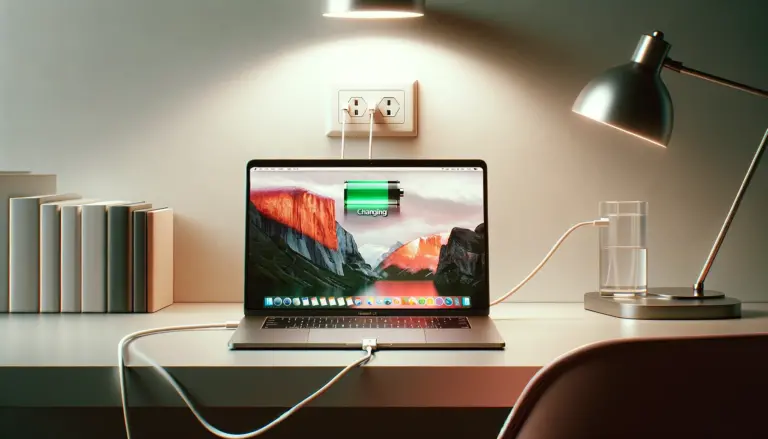
You can charge a MacBook Pro without its own charger from any USB-C source that supports USB Power Delivery (USB PD): another laptop’s or a phone’s charger, a power bank, a USB-C monitor or a 12V car charger. Apple says a Mac that charges over USB-C accepts any USB PD power adapter or display, even one with less wattage than recommended.
Wattage decides the result. A strong source charges at full speed, a weak one charges slowly, and one that only covers what the Mac is using holds the level or just slows the drain.
Table of Contents
Which MacBook Pro models charge over USB-C
Every MacBook Pro introduced in 2016 or later charges through any of its USB-C ports (Apple’s charging guide). The 14-inch and 16-inch models from 2021 on also have MagSafe 3, but USB-C charges them too, so the MagSafe cable isn’t required. A 2015 or earlier MacBook Pro has MagSafe or MagSafe 2 instead and needs a matching MagSafe adapter.
How many watts a MacBook Pro needs
Apple says the best charging experience takes at least the wattage of the adapter recommended for your model:
- 13-inch MacBook Pro (2016 or later): 61W
- 14-inch MacBook Pro (2021 or later): 67W, 70W or 96W
- 15-inch MacBook Pro (2016 or later): 87W
- 16-inch MacBook Pro (2019): 96W
- 16-inch MacBook Pro (2021 or later): 140W
The 2019 and 2023 16-inch models both say “16-inch” but need different wattage, so find your exact MacBook Pro model before you buy anything. Apple’s fast charge on 2021 and later models, up to 50 percent in about 30 minutes, needs a 96W or higher USB PD source on a 14-inch and 140W or higher on a 16-inch (MacBook Pro specs). I’d buy a 100W USB PD charger for a 14-inch and a 140W PD 3.1 charger for a 16-inch, since USB PD before version 3.1 stops at 100W.
Power sources that work, and how fast
| Power source | Works? | Speed and limits |
|---|---|---|
| USB PD charger at or above your model’s wattage, such as another laptop’s charger | Yes | Charges at up to the charger’s wattage, printed on its label. |
| USB PD source below your model’s wattage, such as a phone charger or phone-size power bank | Yes, weakly | May charge slowly, only hold the battery level, or still drain while the Mac is busy. macOS Tahoe 26.4 or later shows “Slow Charger”. |
| Laptop power bank with a 100W or 140W USB PD port | Yes | Acts like a charger of that wattage until the bank runs flat. |
| USB-C or Thunderbolt display that powers the Mac | Yes | Speed follows its wattage. Apple’s 14-inch fast-charge list names a 94W third-party display. |
| Another MacBook over USB-C | Sometimes | Erratic. The receiving Mac may only hold its percentage while the lender’s battery drains. |
| iPhone over USB-C | Not realistically | Up to 4.5W, meant for small accessories. |
| 12V car socket with a USB PD car charger, or an inverter and a wall charger | Yes | Speed follows the charger’s wattage. Check the socket’s limit and keep the engine running. |
| Car’s built-in USB port | Rarely | Built for phones, often 5W to 7.5W. |
Charge a MacBook Pro with a power bank
Look for a laptop-class bank with a USB PD port rated at your model’s wattage or more. Macworld’s 2026 roundup, which scores banks by recharging a drained 14-inch MacBook Pro, says 100W PD 3.0 is all you need for fast charging unless you own a 16-inch, which wants a 140W PD 3.1 bank. Pocket-size phone banks are the weak spot: Macworld says they’re usually not powerful enough to keep an energy-hungry MacBook going all day. If you still have the USB-C to MagSafe 3 cable, it plugs into a bank’s USB-C port like a wall charger.
Charge a MacBook Pro from another laptop or a phone
Another MacBook can feed yours over a USB-C cable, but not well. In How-To Geek’s 2022 test, macOS said a MacBook Pro was charging from a MacBook Air, yet the Pro’s percentage neither rose nor fell after extended use, and it dropped much faster when the Pro was the one lending power. The first Mac plugged in should receive the charge, but that can flip on a lock screen.
A phone is weaker still. Apple documents up to 4.5W from an iPhone 15 or later, meant for AirPods, an Apple Watch or “another small device”, against the 61W to 140W it recommends for a MacBook Pro. I wouldn’t count on any phone.
Charge a MacBook Pro in a car
Skip the car’s built-in USB port unless it’s labeled USB-C Power Delivery, because Engadget says it’s probably built for phone charging, which often starts around 5W to 7.5W. The usual fix is a 12V car charger with a USB PD port matching your model’s wattage. An inverter with a wall charger also works, but Anker says inverters add conversion loss and many car sockets sit around 120W to 180W. Check the socket rating in your manual, and keep the engine running so a long charge doesn’t drain the car battery.
What not to use to charge a MacBook Pro
- A cable that can’t carry the power. Apple says some USB-C cables only support data transfer and won’t charge a Mac, and a 60W cable (20V at 3A) caps a bigger charger at 60W.
- A charger without USB PD. Apple’s rule is a USB-C adapter or display that supports USB PD and meets safety standards, so I’d skip no-name chargers.
- An old MagSafe charger on a MagSafe 3 Mac. Apple says MagSafe 3 isn’t compatible with earlier MagSafe adapters and cables.
- Two chargers at once. The Mac charges over one port at a time, from the source that provides the most power, so a second charger adds no speed.
- Homemade rigs. A PD “trigger” board asks a charger for a fixed voltage, so it can’t act as a laptop’s charger, and a bare battery or solar panel isn’t a USB PD source. I wouldn’t connect any of them to a MacBook Pro.
Check what your Mac is getting
- With the source connected, hold the Option key and choose Apple menu > System Information.
- Select Power in the sidebar, then scroll to AC Charger Information for the wattage.
On macOS Tahoe 26.4 or later, “Slow Charger” in the battery menu means the source’s wattage is too low for your model. If the menu says “Battery Is Not Charging”, Apple lists three causes: a source that can run the Mac but not charge it, a Mac drawing more than the source supplies, or battery health features pausing charging.
