

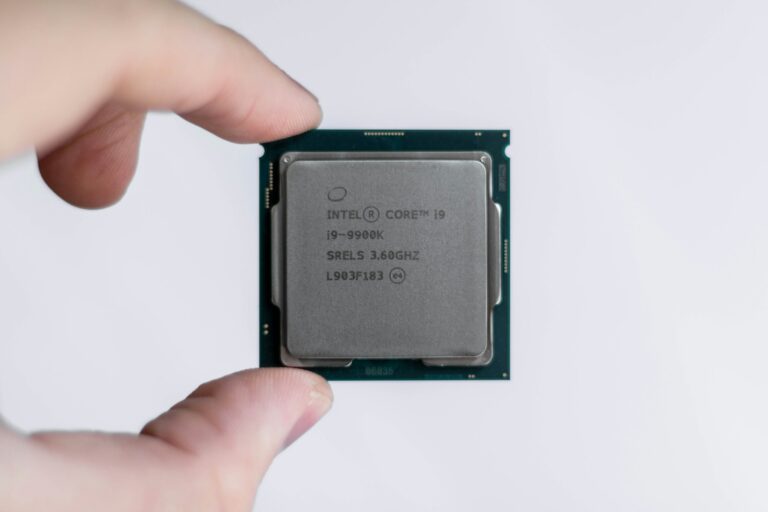
On Linux, cat /proc/cpuinfo | grep "cpu MHz" and lscpu can show different numbers for the same core at the same moment, and neither is wrong — they answer different questions. cpu MHz in /proc/cpuinfo is the core’s instantaneous frequency, computed from a live register snapshot; it changes between two consecutive reads on any CPU with frequency scaling enabled, which is effectively all of them. lscpu‘s CPU max MHz and CPU min MHz report the supported boost ceiling and power-saving floor — the range the core can operate in, not what it’s doing right now.
What each source actually reports — cited, not run here
Nothing Linux-side below was run on a Linux machine, so none of it is executed output; it’s cited to the kernel’s own documentation and the lscpu manual.
/proc/cpuinfo‘scpu MHz— a current-frequency snapshot. Kernel documentation for the x86/proc/cpuinfopath describes it as computed viaaperfmperf_snapshot_khz(), sampling the APERF/MPERF feedback registers, “similar to thescaling_cur_freqsysfs file in cpufreq.” Before kernel 4.13 this field could report either the nominal (fixed) frequency or the governor’s most recent request depending on configuration — a documented kernel behavior change, not a typo in older guides.lscpu‘sCPU max MHz/CPU min MHz— the supported frequency range: how high the core can boost under load and how low it can idle to save power. These are fixed hardware specs, not a live reading, and won’t match a given instant’scpu MHzvalue except by coincidence.dmidecode -t processor— reads the “Current Speed” and “Max Speed” fields the firmware’s SMBIOS tables report, which (as with the RAM page’s finding ondmidecode --type memory) is what the firmware claims, not a live kernel measurement.
None of the three is “the” CPU speed. If you need a single number for a spec sheet, the marketing/rated clock is what the manufacturer’s model name encodes (e.g., “i5-8250U @ 1.60GHz” — the base clock); if you’re debugging a performance problem, the live number from /proc/cpuinfo or watch -n1 'grep MHz /proc/cpuinfo' is what you want, and expect it to move.
What’s checkable on macOS — executed here
$ sysctl -n machdep.cpu.brand_string
Apple M3 Max

$ sysctl hw.ncpu hw.physicalcpu hw.logicalcpu
hw.ncpu: 14
hw.physicalcpu: 14
hw.logicalcpu: 14

$ sysctl hw.perflevel0.name hw.perflevel0.physicalcpu hw.perflevel1.name hw.perflevel1.physicalcpu
hw.perflevel0.name: Performance
hw.perflevel0.physicalcpu: 10
hw.perflevel1.name: Efficiency
hw.perflevel1.physicalcpu: 4
system_profiler SPHardwareDataType confirms the same split independently — “Total Number of Cores: 14 (10 Performance and 4 Efficiency)” — matching the two sysctl reads above rather than being a third, disagreeing source.
The more interesting result is what’s missing. macOS traditionally exposed hw.cpufrequency for a single clock-speed number. On this Apple Silicon Mac it returns nothing:
$ sysctl hw.cpufrequency
$ echo $?
0
Empty output, exit 0 — the key exists on Apple Silicon in name but Apple no longer populates a value there, because “the CPU’s clock speed” stopped being one number once performance and efficiency cores could each scale independently. That’s the same lesson the Linux side teaches with three disagreeing tools, arriving from the opposite direction: on modern hardware, a single “GHz” figure is a marketing simplification, not a measurement you can rely on a system to hand you consistently.
Your hardware may answer differently: on a Mac, find-cpu-speed-and-model.sh repeats the sysctl and system_profiler reads above, checks that the core counts agree, and reports whether hw.cpufrequency is populated, while its Linux checks run only on a Linux host.
For the equivalent installed-vs-reported split on memory instead of CPU frequency, see checking physical RAM size — same underlying pattern (what the firmware claims vs. what the OS can measure live), different subsystem.
