

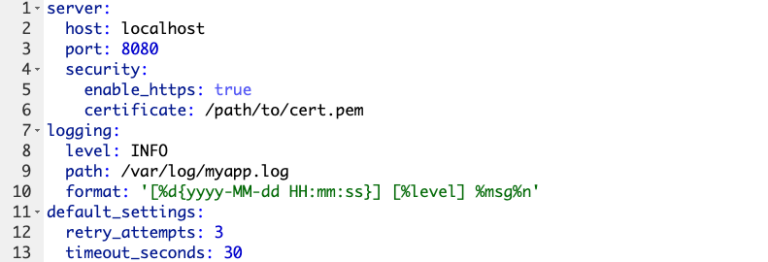
The YAML rule that breaks configurations is not indentation. It is that an unquoted scalar gets a type guessed for it, and the guesses are wider than you expect. country: NO is the boolean false. Quote anything you want to stay a string:
country: NO      ->  {'country': False}
country: "NO"    ->  {'country': 'NO'}
Both PyYAML 6.0.2 and Ruby’s Psych returned that. This page is about the guesses, because that is where two independent implementations stop agreeing. For the rest of YAML’s surface see multiline strings and block scalars, sequences and arrays, and comments — each is verified on its own page and not repeated here.
Table of Contents
The coercion table, both parsers, side by side
source        PyYAML 6.0.2              Psych 3.1.0 / libyaml
------------  ------------------------  -----------------------
yes           True        bool          true        TrueClass
no            False       bool          false       FalseClass
NO            False       bool          false       FalseClass
on            True        bool          true        TrueClass
off           False       bool          false       FalseClass
y             'y'         str           "y"         String
true / TRUE   True        bool          true        TrueClass
052           42          int           42          Integer
010           8           int           8           Integer
08            '08'        str           "08"        String
0o52          '0o52'      str           "0o52"      String
0x2A          42          int           42          Integer
1.10          1.1         float         1.1         Float
1e3           '1e3'       str           "1e3"       String
12:30:00      45000       int           45000       Integer
22:22         1342        int           80520       Integer   <-- disagree
null / ~      None                      nil         NilClass
.inf / .nan   inf / nan   float         Infinity / NaN Float
2026-08-11    date(2026, 8, 11)         #<Date: 2026-08-11 ...>
Read that as a list of things that are not strings when you assumed they were. 052 is octal 42, so a zero-padded numeric ID silently changes value. 08 is not valid octal so it stays a string — meaning 07 and 08 in the same file come back as different types. 1e3 is a string, because the float pattern these parsers use requires a decimal point. And 1.10 is the float 1.1, so a version pin written unquoted loses its trailing zero. It is also why a JSON-to-YAML converter quotes the values that would otherwise be coerced — the round trip measured equal there because the dumper protected them. The damage arrives later, when someone deletes a quote that looked unnecessary.
The one place they genuinely disagree
22:22 — an unquoted clock time, which is ordinary in a cron or schedule field — is an integer in both, but not the same integer:
window: 22:22

PyYAML 6.0.2   ->  {'window': 1342}
Psych 3.1.0    ->  {"window"=>80520}
This is the sexagesimal (base-60) integer form — YAML 1.1’s int type specification states that using “:” allows expressing integers in base 60, which is convenient for time and angle values. The arithmetic behind the two results, which is my reading of the returned numbers rather than a quote from either project: PyYAML treats the rightmost field as the ones place, giving 22 × 60 + 22 = 1342, while Psych scales as though a third field were present, giving 22 × 3600 + 22 × 60 = 80520. Both are silent. The same file read by a Python service and a Ruby service produces two different values with no error anywhere, and a factor of exactly 60 between them. Write '22:22' and both return the string.
The three-field form 12:30:00 happens to agree at 45000 in both, so testing only that case hides the problem.
%YAML 1.2 does not do what the old page showed
An earlier version of this page offered this as an example of a directive:
# This is a comment
%YAML 1.2
---
name: John Doe
In Ruby that is a hard parse error, comment or no comment: Psych::SyntaxError: found incompatible YAML document at line 1 column 1. Psych 3.1.0 / libyaml 0.2.1 processes YAML 1.1 and refuses a document that declares itself 1.2. Change the line to %YAML 1.1 and it parses.
PyYAML accepts %YAML 1.2 — and then ignores it. All three of these return {'k': True}:
%YAML 1.1 / --- / k: yes   ->  {'k': True}
%YAML 1.2 / --- / k: yes   ->  {'k': True}
k: yes                     ->  {'k': True}
Under YAML 1.2’s core schema yes is a string — the schema’s boolean rule resolves only true | True | TRUE | false | False | FALSE, and any scalar no rule matches is resolved as a string. PyYAML returns a boolean regardless of the directive, which is the clearest evidence that both of these are 1.1 processors: neither recognises 0o52 (1.2’s octal form) either — it comes back as the string '0o52' above, while 1.1’s 052 becomes 42. The directive is not a switch. Declaring a version does not get you that version’s semantics; it only risks an error in Ruby.
Custom tags do nothing useful under a safe loader
The old page said the !point tag “could tell the parser that the following structure represents a point in a two-dimensional space, allowing for specialized processing of this data type”. Run it and neither parser does anything of the kind:
!point
x: 1
y: 2

PyYAML safe_load -> yaml.constructor.ConstructorError:
                    could not determine a constructor for the tag '!point'
Psych  safe_load -> {"x"=>1, "y"=>2}      (tag silently dropped)
One errors, one discards the tag and hands back a plain mapping. A custom tag only means something after you register a constructor for it in your own code, and doing that with an unsafe loader is how YAML deserialisation becomes remote code execution. Use safe_load and keep types in your application, not in the document.
What the old page got right
Merge keys work as it described in both parsers — but in Ruby only if you allow aliases. YAML.safe_load(doc) on Psych 3.1.0 raises Psych::BadAlias: Unknown alias: b; you need YAML.safe_load(doc, [], [], true). PyYAML’s safe_load resolves the merge with no flag:
base: &b
  cpu: 2
  memory: 4GB
extended:
  <<: *b
  memory: 8GB

-> {'base': {'cpu': 2, 'memory': '4GB'},
    'extended': {'cpu': 2, 'memory': '8GB'}}
Note that << is itself a YAML 1.1 extension rather than part of the 1.2 core, so it is another thing to check before assuming portability.
The fix for everything above is one habit: quote any scalar whose value you care about — country codes, versions, times, zero-padded IDs, anything a human typed. Not tested here: Go’s gopkg.in/yaml.v3, js-yaml, or snakeyaml, all of which target YAML 1.2 and would resolve several rows of that table differently. The verify script re-runs every row on PyYAML and Psych and asserts the exact value, so you can falsify the page in one command.
Check this yourself. Every command and every block of output on this page is reproduced by /verify/yaml-syntax.sh. Download it and run it: it creates its own scratch files, prints one line per claim, cleans up after itself, and exits non-zero if any claim here turns out to be wrong. If it disagrees with this page, the page is wrong.
