

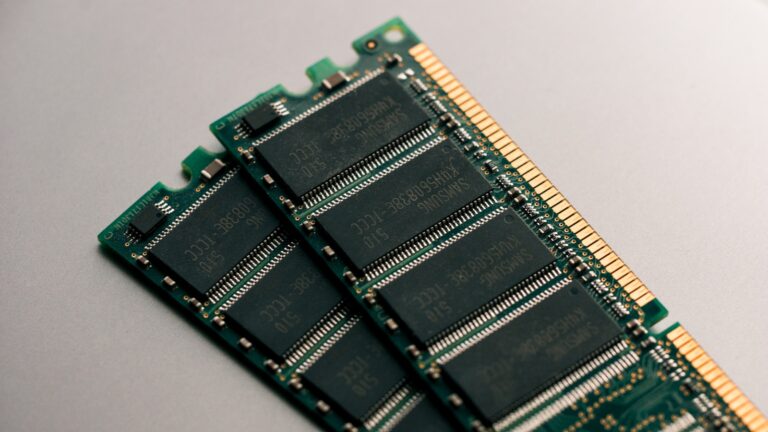
Dual-channel RAM uses two memory channels between the memory controller and the DIMMs instead of one, roughly doubling available bandwidth between RAM and CPU. That’s the whole concept: what follows is when it matters and how to set it up.
| Feature | Single-channel | Dual-channel |
|---|---|---|
| Data path | One channel | Two channels, run together |
| Best for | Browsing, everyday tasks | Gaming, video editing, heavy multitasking |
| Requires | Any RAM in any slot | A matched pair, in the slot pairing your board’s manual specifies |
Setting it up, if your machine actually has DIMM slots
Power off and unplug the machine first, and ground yourself (touch the case or use an anti-static wrist strap) before touching a RAM module. Static discharge is a real way to kill a module or a slot, not a theoretical risk.
- Confirm your motherboard supports dual-channel and which slots pair together: that’s in the motherboard manual, not something generic advice can tell you.
- Use two identical modules: same capacity, speed, and timings.
- Populate the matched slot pair the manual specifies, not “any two slots.”
- Power on and confirm in BIOS/UEFI or the OS that both channels are active.
Apple Silicon: none of the above applies
If you’re reading this on a MacBook, there’s nothing to open. Apple Silicon Macs (M1 and later) don’t have RAM slots: memory is unified, built onto the same package as the CPU and GPU at the factory, with no per-slot listing the way an Intel Mac or a PC returns one entry per DIMM. The checking physical RAM size page shows what system_profiler SPMemoryDataType reports on one Apple Silicon Mac (LPDDR5, soldered, non-upgradable). There’s nothing to add, remove, or channel-match on Apple Silicon; the capacity you buy at checkout is the capacity that machine has for its life. Generic “add a second stick” advice, including the setup steps above, doesn’t apply to it at all.
How much faster dual-channel is depends heavily on workload and on whether the GPU is integrated or discrete, so no speedup percentage is given here. Single- versus dual-channel bandwidth was not measured: Apple Silicon has no channels to disable for the comparison, and the comparison was not run on a PC either. See Corsair’s explanation for the mechanism rather than a specific percentage.
